Delivering media to a shop, CMS or website
Why media are distributed out of footage.one instead of linked directly, which routes exist for that, and what the internal media links are for.
The principle
Media that should appear outside footage.one are delivered there: into the target system itself, or into storage your website or CDN serves from. The URLs the platform uses internally are working URLs of the application, not a delivery channel.
Four reasons why this is not a formality:
- Previews can carry a watermark. What is right in the management interface is wrong in a shop.
- Previews are working views. Resolution, format and crop follow the application, not your layout, and can change with the platform.
- Otherwise the platform becomes an origin under public load. Your site's load times, traffic and availability then hang on it.
- Publishing should be a decision. What appears on a public page belongs there because it was distributed deliberately, not because someone knows a URL.
The routes outward
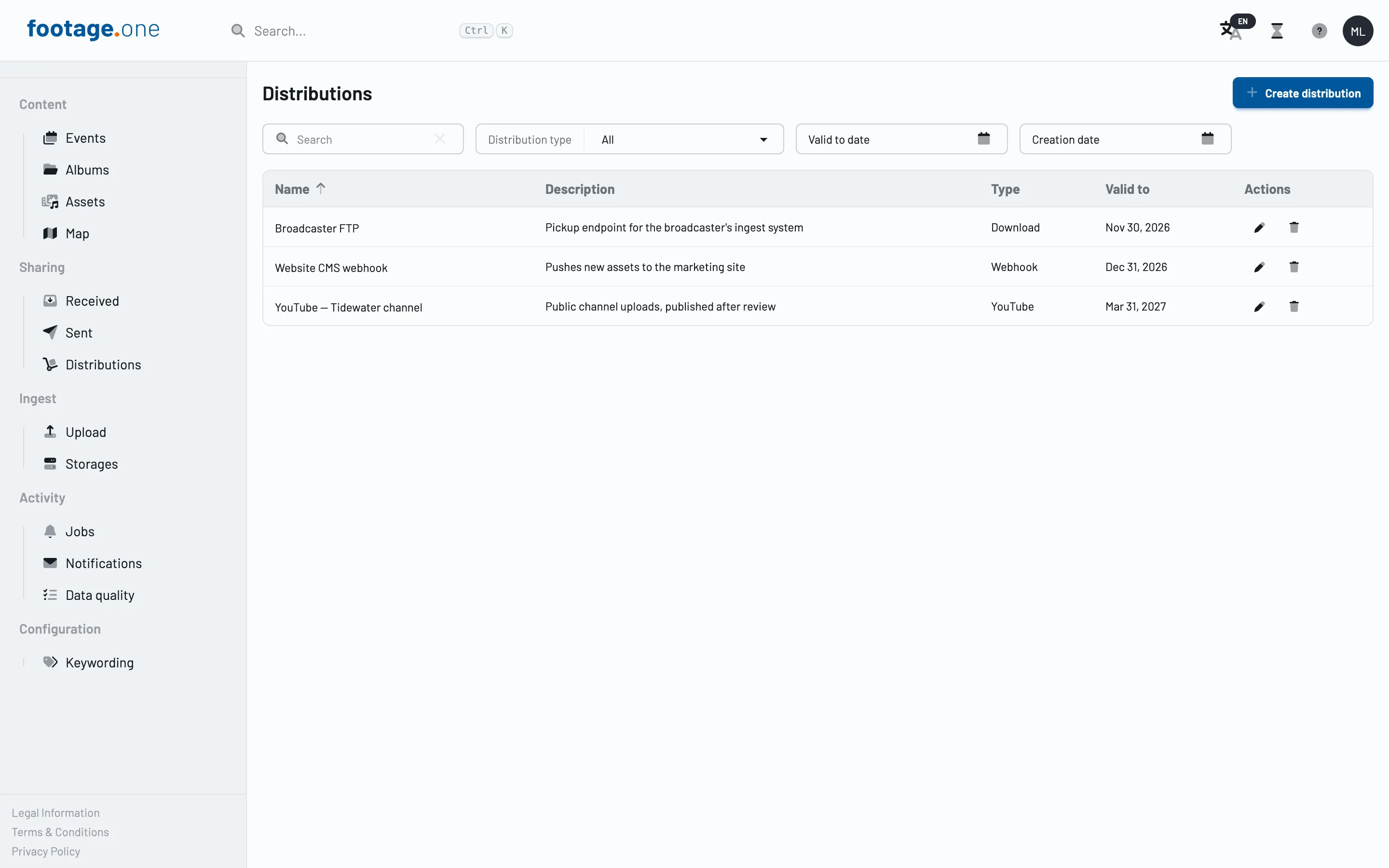
Distribution is the intended route. You select media, choose a target, and footage.one delivers there:
| Target | What it is for |
|---|---|
| S3 | Writes into a bucket of your own that your website, shop or CDN serves from. The usual route for your own site |
| Webhook | The target system is notified and takes the media into its own holdings |
| Media feed | A feed a connected system reads on a schedule |
| Shop | Offering in your own footage shop |
| Public search | A searchable holding for the search components on your site |
Partner-specific targets come on top, where they are set up for your instance. Which targets you can actually create is reported by the platform itself: the distribution dialogue shows exactly the adapters registered on your instance. See Distributing media.
Pattern: supplying a website or shop
- Define the holding. Assemble the album or selection that should be published.
- Set up a distribution, usually into a bucket of your own.
- Put your delivery in front. The website or CDN serves from that bucket, not from footage.one. That way you control cache times, formats and availability yourself.
- Store the target address in your CMS, on the product or the article.
- Distribute again when you replace a file and purge the cache deliberately. The file in the bucket is the version your audience sees.
The benefit of that separation: an outage or a maintenance window on the platform does not touch your website, and the published version stays exactly the one you released.
What the internal media links are for
Every asset carries its own media URLs in its _links object. They are meant for your own tools inside the protected area: management interfaces, review views behind sign-in, reporting, scripts.
curl -H "apiKey: YOUR_API_TOKEN" \
  https://app.footage.one/api/asset/assets/YOUR_ASSET_ID \
  | jq '._links | {kframe, preview, master, download, actionToken}'
| Link | Content |
|---|---|
kframe |
still image of the asset, the keyframe for videos |
preview |
preview version, the proxy file for videos |
master |
the original file, retrievable with a token only |
download |
download of the file through the signed-in session |
actionToken |
issues the short-lived token for access to master |
Never assemble these URLs yourself, read them from the asset, see Understanding HATEOAS.
Previews are retrievable without a token. That is technically necessary, because an img or video element cannot send an Authorization header and the application could otherwise not display a single image. It also means: anyone who knows such a URL can retrieve it. That is exactly why those addresses do not belong in public pages, newsletters or export files.
Downloading the original file
The master download is a two-step flow. First you obtain a short-lived access token with your API token, then you fetch the file with it:
JWT=$(curl -s -H "apiKey: YOUR_API_TOKEN" \
  https://app.footage.one/api/asset/assets/YOUR_ASSET_ID/action-token | jq -r '.jwt')

curl -L -o original.jpg \
  "https://app.footage.one/api/asset/assets/YOUR_ASSET_ID/master?token=$JWT"
The access token is short-lived and meant for exactly this purpose. Do not write it into a public page, a cache or a repository.
If you do embed directly
For an internal portal behind sign-in, or a quick prototype, you can use the preview links directly. You should then know what you are taking on:
- Check whether a watermark is configured for that holding.
- Do not rely on a particular format or edge length.
- Account for the load this puts on the origin as soon as more than a handful of people open the page.
For anything publicly visible, distribution remains the right route.
Related topics
- Distributing media for delivery to target systems
- Sharing media for time-limited handover to external people
- Embedding search components for a searchable selection on your own site
- REST API Quickstart to get started with the interface