
Asset Relations. Make Connections Visible
Link related media and map relationships between assets.
Everything is connected
Media rarely exists in isolation. A still belongs to a video, a new cut to its original, a model release to the shoot. footage.one keeps these connections on the asset, where you can see and follow them.
Relationship types
- Versions and variants: New cuts as versions, language and platform cuts as variants, and the original is always kept
- Derivatives: New assets made from the original, such as stills taken from a video
- Composition and segment: An asset put together from others, or an excerpt of a longer one
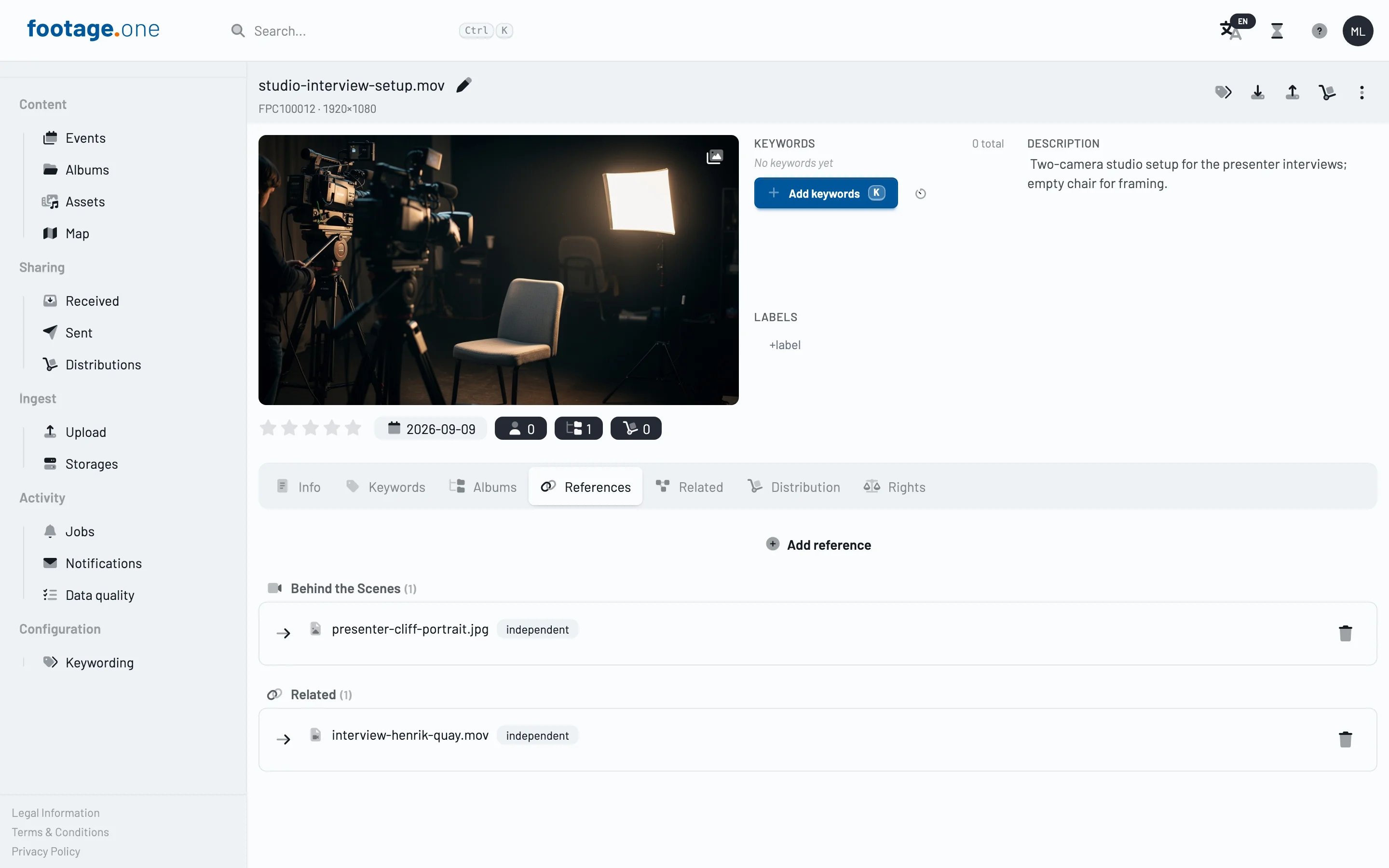
- Audio track, model release, behind the scenes: Material that belongs to an asset
- Related: A loose link between assets that belong together
Versions and variants
- Upload right at the original: With "Upload as…" a file becomes a new version, a variant or a derivative, linked and with the original's description, keywords, license and credit
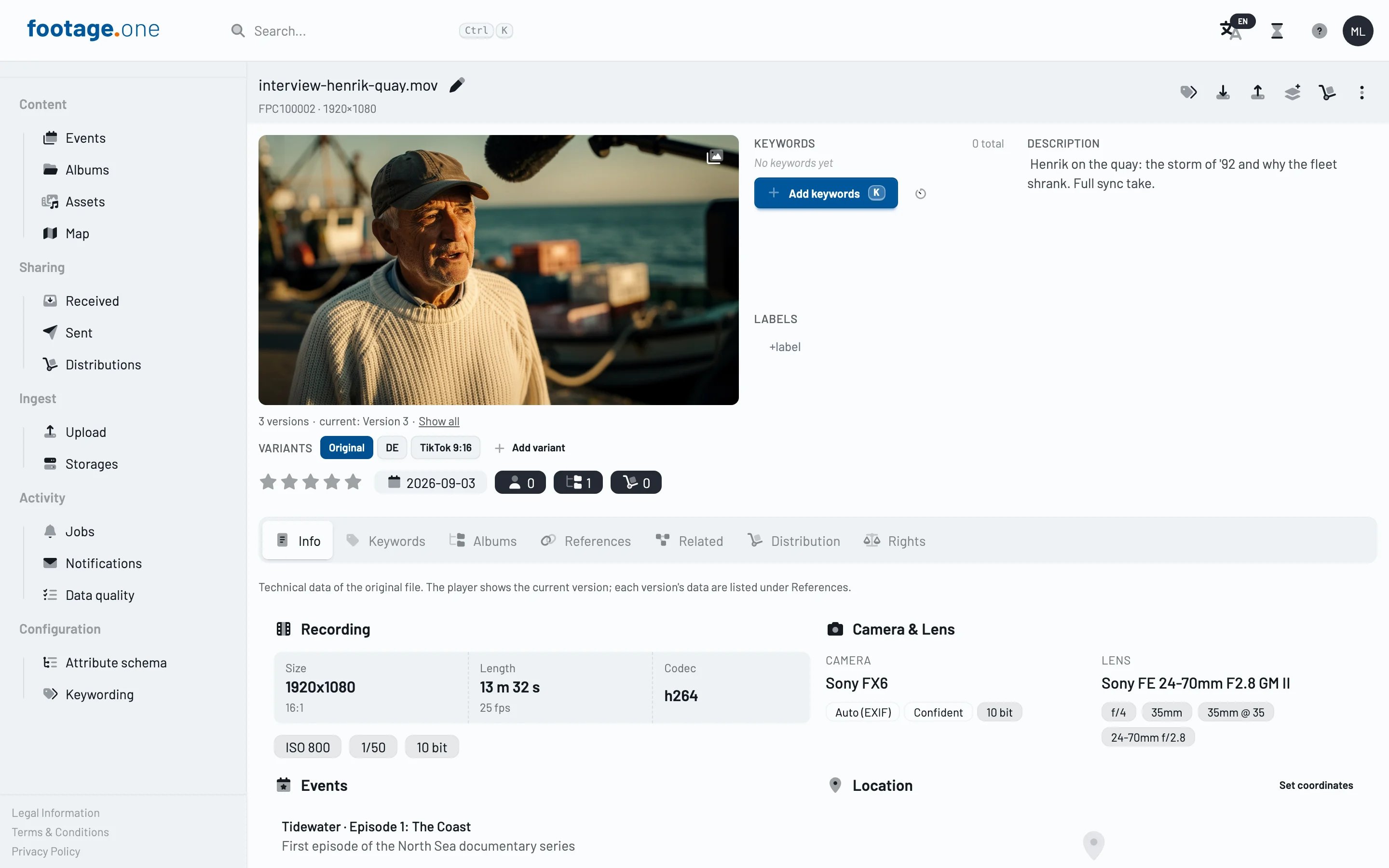
- Current version first: Shares, downloads and the preview deliver the newest version automatically; the original is kept and can be downloaded at any time
- Every version at a glance: The References tab lists each version with its own technical data and shows it in the player on request
- Variants with a label: Cuts like "DE" or "TikTok 9:16" sit as a strip below the player and open their own detail page
- A tidy search: Versions and variants do not show up as separate hits
More in the documentation: Versions, variants and derivatives.
Automatic detection
- Duplicates and overlaps: footage.one finds duplicate files and overlapping footage on its own and links them as references marked "auto-detected"
- Why was this linked?: Each detected reference shows how well the files match and how the match was found
- You decide: Lock a detected reference so that no automated process changes or removes it, or discard it with "Not a duplicate"; a discarded pair is not linked again by a later run
- Stills from video: Stills created from a video are linked to it as derivatives automatically
Finding your way
- References tab: All references of an asset in one list, grouped by type, with direction, label and lock state; one click opens the linked asset
- Related tab: Finds further assets by search, without creating links: shot on a similar date, near the same location, or, depending on your plan, visually similar
Benefits
- Preserve context: See which files belong to an asset and how
- Keep versions under control: The current version is delivered, the original stays available
- Work more efficiently: Related media is one click away